AnyTrans vs TextExhibit for exporting iPhone texts
AnyTrans is an iPhone manager for Windows and Mac that exports SMS, MMS and iMessages to PDF, TXT or HTML, with one-time and subscription plans, while TextExhibit is a $24.99 one-time Mac app only for text conversations with court details. Try free routes first (screenshots, File, Print in Messages on a Mac), then the free versions of both.
Side by side (checked 2026-11-15)
- Price: AnyTrans on Windows $59.99 one time (1 computer), $79.99 family (5), $39.99 a year or $35.99 a month auto-renewing; 60-day money-back (7 days monthly). TextExhibit $24.99 once, 3 Macs, 14-day refund.
- Platforms: AnyTrans Windows and Mac. TextExhibit macOS 14 Sonoma or later.
- Messages: AnyTrans SMS, MMS, iMessage; WhatsApp, LINE, Viber transfer. TextExhibit iMessage, SMS, RCS.
- Formats: AnyTrans PDF, TXT, HTML, print. TextExhibit PDF, CSV, HTML.
- Sources: AnyTrans device, iTunes or iCloud backups. TextExhibit the Mac's Messages app, iPhone over cable, Finder backup (encrypted too).
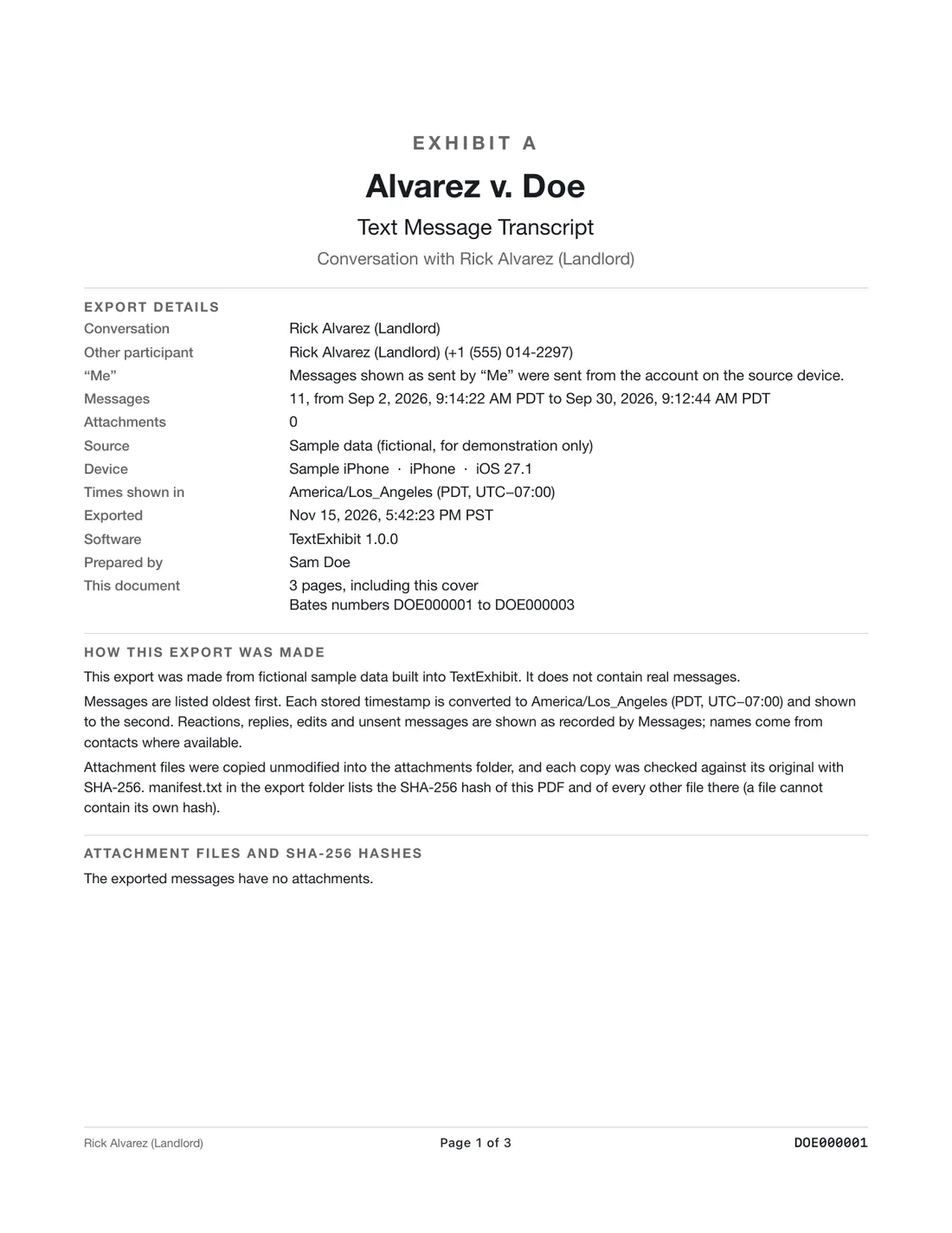
- Court details: AnyTrans says printouts can help with legal-related issues. TextExhibit adds cover page, exact times with time zone, sender numbers, Bates numbers, exhibit label, SHA-256 manifest.
AnyTrans is better for
- Windows users.
- Reading an iCloud backup.
- WhatsApp, LINE and Viber.
- Managing everything else on the phone.
TextExhibit is better for
- A lower one-time price for texts only.
- Bates numbers and exhibit labels.
- CSV output.
- Reading Messages on the Mac without a backup.
Test both the same way
- Export the same conversation and date range.
- Compare counts, first and last messages, numbers and photos.
Questions to answer before choosing
- Which computer do you have? AnyTrans runs on Windows and Mac; TextExhibit only on a Mac with macOS 14 Sonoma or later.
- Where are the messages? If they are only in an iCloud Backup, AnyTrans lists that route; if Messages in iCloud syncs them to your Mac, TextExhibit reads them there.
- What format was asked for? AnyTrans gives PDF, TXT or HTML; TextExhibit gives PDF, CSV or HTML.
- Do you need other phone tools? AnyTrans also moves photos, music and apps; TextExhibit does not.
- How long will you need it? AnyTrans's monthly plan renews; its one-time plan and TextExhibit do not.
What to keep in mind
- AnyTrans prices are Windows sale prices on 2026-11-15; Mac prices are listed separately.
- TextExhibit cannot recover deleted messages.
- Not legal advice.
Questions
Which one reads iCloud backups?
AnyTrans's FAQ says it can preview and export from iCloud backups. TextExhibit reads Messages in iCloud through the Mac's Messages app instead.
Which one exports CSV?
TextExhibit. AnyTrans lists PDF, TXT and HTML.
Do both print?
Yes. AnyTrans prints selected threads; TextExhibit exports a print-ready PDF.
Which is a subscription?
AnyTrans offers both one-time and subscription plans. TextExhibit is one-time only.
Sources
- AnyTrans for iOS (iMobie) (checked November 15, 2026)
- AnyTrans: back up and print iPhone messages (iMobie) (checked November 15, 2026)
- AnyTrans pricing, Windows (iMobie) (checked November 15, 2026)
Export the whole conversation
TextExhibit turns a conversation into one PDF with exact times, names and numbers, photos in place and page numbers, on your Mac. Free to preview; $24.99 once to export.