Coolmuster iOS Assistant vs TextExhibit for iPhone texts
Coolmuster iOS Assistant is an iPhone data manager for Windows and Mac that exports text messages as CSV, VCF or XML ($35.95 lifetime or $25.95 a year), while TextExhibit exports one conversation to PDF, CSV and HTML with court details for $24.99 one time on Mac. Free first: screenshots, or Command-P in Messages on a Mac; then test both free versions.
Side by side (checked 2026-11-15)
- Price: Coolmuster Lifetime $35.95 (1 PC) or 1-Year $25.95 auto-renewing; 30-day money-back. TextExhibit $24.99 once, 3 Macs, 14-day refund.
- Platforms: Coolmuster Windows 11 to 7 and Mac. TextExhibit macOS 14 Sonoma or later.
- Message formats: Coolmuster CSV, VCF, XML (as listed for contacts and texts). TextExhibit PDF, CSV, HTML.
- Scope: Coolmuster photos, music, contacts, notes, calendars, bookmarks, backups. TextExhibit messages only.
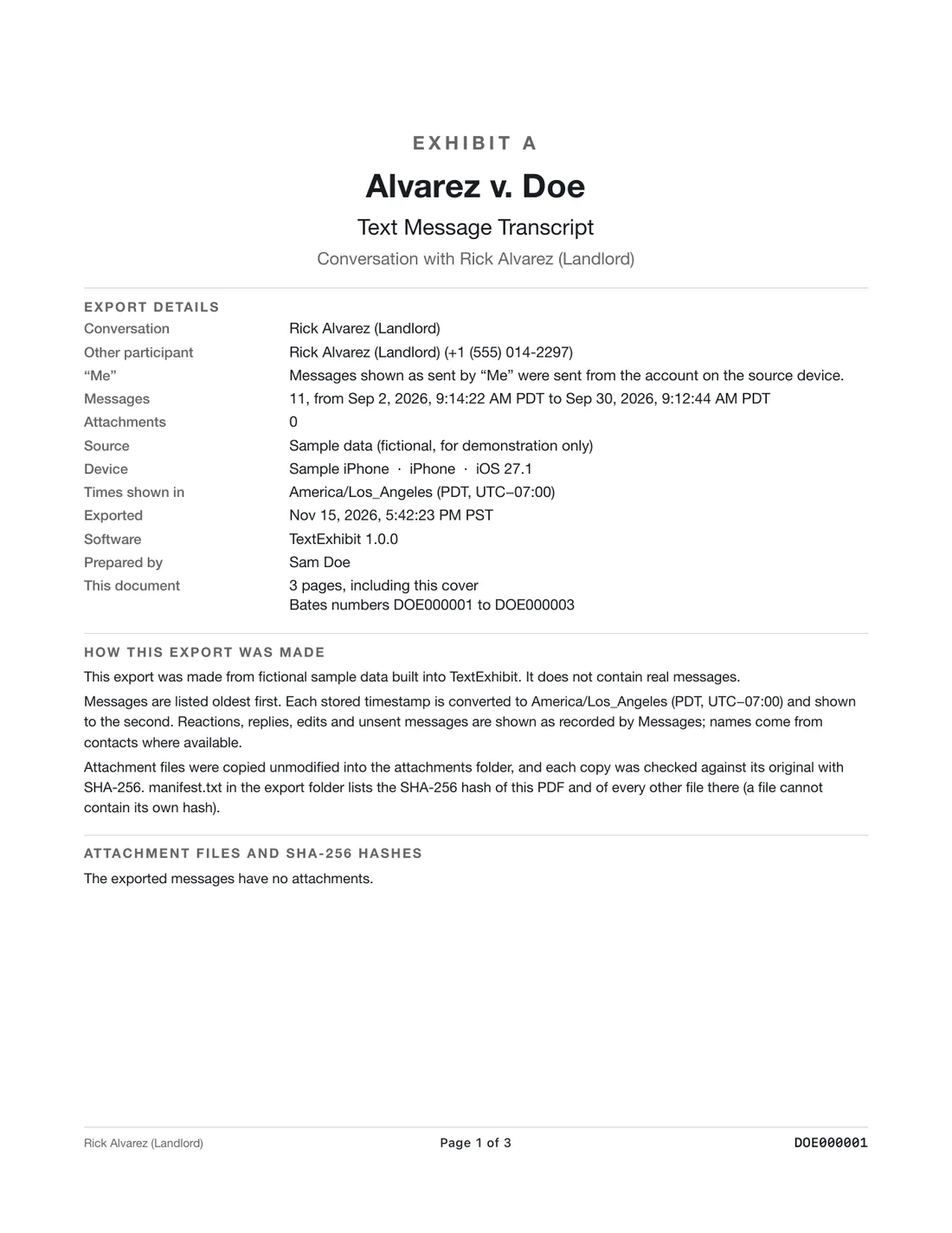
- Court details: not described for Coolmuster. TextExhibit cover page, exact times with time zone, sender numbers, Bates numbers, exhibit label, SHA-256 manifest.
Coolmuster is better if
- You want to move lots of data types to a computer.
- You are on Windows.
- A spreadsheet of messages is enough.
TextExhibit is better if
- You need a printable PDF with photos in place.
- You need Bates numbers, exhibit labels or a hash list.
- You want three Macs on one license.
Test
- Export the same conversation from both.
- Check whether the CSV or PDF shows date, time, sender number and full text for each message.
Spreadsheet or PDF: which do you need?
A CSV is good for searching, sorting by date and counting messages, and some lawyers like one alongside the PDF. A PDF is what people print, read and file. If you only have a CSV, check that each row includes the date, time, sender and the full text, and that long messages are not cut off when printed.
TextExhibit exports both from the same conversation, so the CSV rows and the PDF pages match. With Coolmuster, you would make a PDF yourself from the spreadsheet, for example by printing it from Excel or Numbers.
What to keep in mind
- Coolmuster's trial limits were not stated on its pages on 2026-11-15.
- TextExhibit exports one conversation at a time and is Mac only.
- Not legal advice.
Questions
Which makes a PDF?
TextExhibit. Coolmuster's page lists CSV, VCF and XML for messages.
Which is cheaper?
Coolmuster 1-Year is $25.95, lifetime $35.95. TextExhibit is $24.99 once.
Does either recover deleted texts?
Neither product page claims to recover deleted messages. For deleted texts, check Recently Deleted in Messages first.
Do both work on Mac?
Yes. Coolmuster also runs on Windows.
Sources
- Coolmuster iOS Assistant (checked November 15, 2026)
- Coolmuster iOS Assistant pricing (checked November 15, 2026)
Export the whole conversation
TextExhibit turns a conversation into one PDF with exact times, names and numbers, photos in place and page numbers, on your Mac. Free to preview; $24.99 once to export.