FonePaw iPhone Data Recovery vs TextExhibit
FonePaw iPhone Data Recovery scans an iPhone or iTunes backup for deleted data and needs a license to recover it, while TextExhibit exports conversations you still have to PDF, CSV and HTML for $24.99 one time on a Mac. Free first: Recently Deleted on the iPhone for lost texts, and Command-P in Messages on a Mac or screenshots for texts you have.
Side by side (checked 2026-11-15)
- Purpose: FonePaw recovery. TextExhibit export.
- Price: FonePaw from $39.87; one-month and one-year auto-renewing licenses and a lifetime license, 6 devices and 1 PC; 30-day money-back. TextExhibit $24.99 once, 3 Macs, 14-day refund.
- Free version: FonePaw scan and preview. TextExhibit full preview and watermarked export.
- Platforms: FonePaw Windows 11 to XP, Mac OS X 10.7 or later. TextExhibit macOS 14 Sonoma or later.
- Sources: FonePaw device, iTunes backup, some iCloud-synced data. TextExhibit Mac Messages app, iPhone over cable, Finder backup.
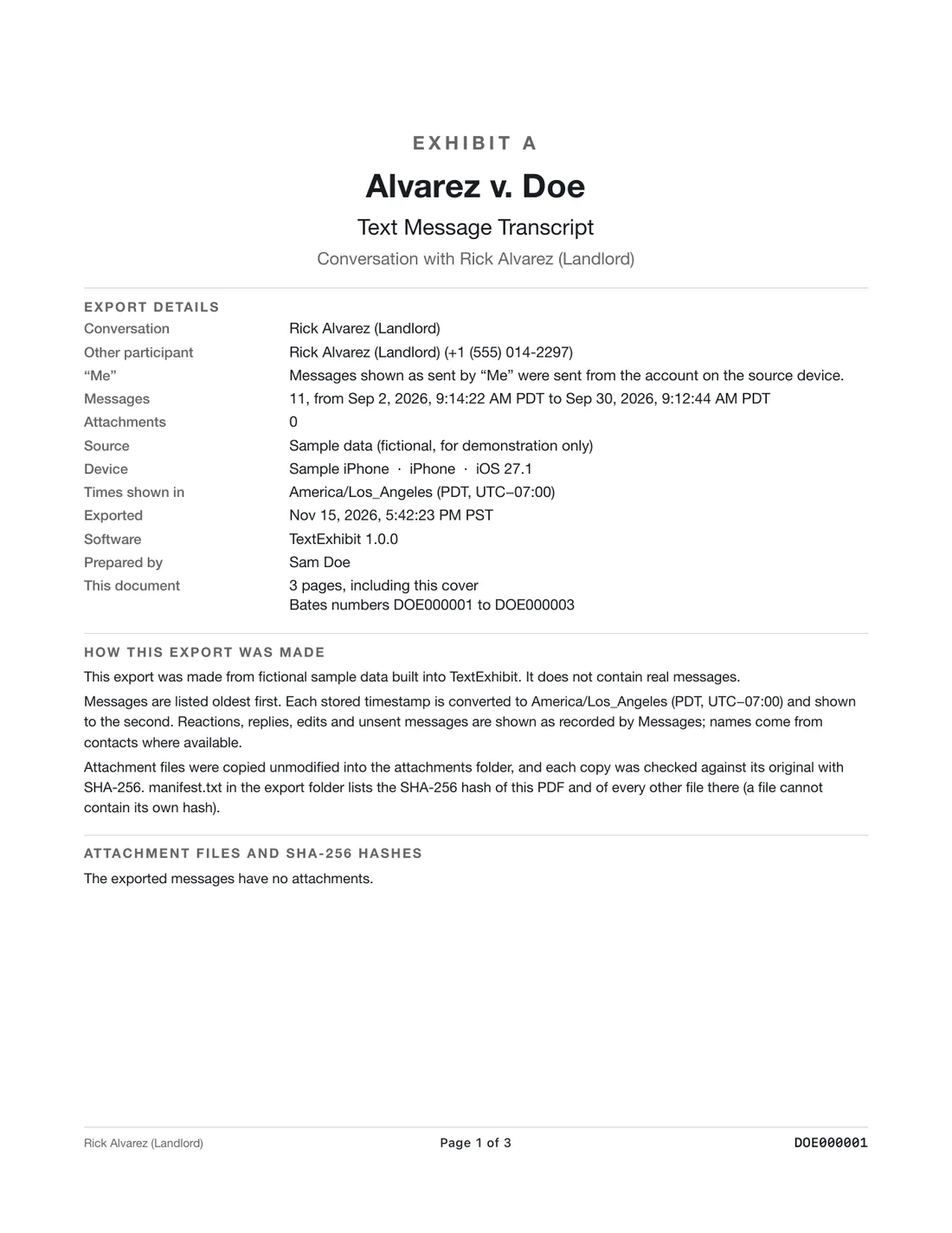
- Court details: not described for FonePaw. TextExhibit cover page, exact times, sender numbers, Bates numbers, exhibit label, SHA-256 manifest.
FonePaw is better if
- You need to try to find deleted messages.
- You use an older computer.
- You need WhatsApp, LINE or other chat apps.
TextExhibit is better if
- Your messages are there and must be handed over in a clear PDF.
- You want a one-time price.
- You need Bates numbers.
Order of steps
- Recently Deleted.
- Older backups.
- Export what you have.
- Recovery scan only if still missing.
If you recover messages, then export
Some people use both kinds of tool. If FonePaw or another recovery tool finds messages, restore them or save them, make a fresh backup, and then export the conversation for whoever needs it. Write down what you did and when: if the messages are for a legal matter, the other side may ask how they were obtained. Tell your lawyer before trying recovery.
What to keep in mind
- FonePaw prices per plan did not load on its buy page on 2026-11-15.
- Recovery is not guaranteed by any tool; TextExhibit does not attempt it.
- Not legal advice.
Questions
Can FonePaw make a PDF of my texts?
Its product page does not name message export formats.
Can TextExhibit recover texts?
No.
Which runs on old computers?
FonePaw lists Windows XP and Mac OS X 10.7. TextExhibit needs macOS 14.
How many devices?
FonePaw: 6 devices, 1 PC. TextExhibit: any iPhone, 3 Macs.
Sources
- FonePaw iPhone Data Recovery (checked November 15, 2026)
- FonePaw iPhone Data Recovery pricing (checked November 15, 2026)
Export the whole conversation
TextExhibit turns a conversation into one PDF with exact times, names and numbers, photos in place and page numbers, on your Mac. Free to preview; $24.99 once to export.