imessage-exporter vs TextExhibit: free command line or Mac app
imessage-exporter is free, open source and exports every conversation to TXT or HTML from the Terminal, while TextExhibit is a $24.99 one-time Mac app with a window, a preview and one-conversation PDF, CSV and HTML exports with court details. If you are comfortable in Terminal and need an archive, imessage-exporter is hard to beat on price; if you need a paginated PDF for a lawyer, compare both outputs on the same conversation.
imessage-exporter at a glance
- imessage-exporter by ReagentX (checked 2026-11-15): free and open source under GPL-3.0; latest release 5.0.1, published 2026-10-29.
- Command line only. Install with cargo install --locked imessage-exporter (recommended), brew install imessage-exporter, or prebuilt binaries for Apple Silicon and Intel Macs.
- Exports to txt or html; the project says it runs on macOS, Linux and Windows.
- Reads the Mac's Messages database (~/Library/Messages/chat.db) or an iOS backup folder, including encrypted backups (it prompts for the password).
- Filters: start and end date (-s, -e) and conversation filter by names, numbers or emails (-t).
- Attachments: copy as-is, or convert HEIC to JPEG and audio and video to MP4 (-c clone, basic, full); off by default.
Side by side
- Cost: imessage-exporter free. TextExhibit free to preview and export with a watermark; $24.99 once to remove it.
- Interface: imessage-exporter Terminal commands. TextExhibit a Mac app with search and page preview.
- Scope: imessage-exporter all conversations at once, or filtered. TextExhibit one conversation, whole or a date range, or many or all at once with batch export (1.1 and later).
- Formats: imessage-exporter TXT, HTML. TextExhibit PDF, CSV, HTML.
- Platforms: imessage-exporter macOS, Linux, Windows. TextExhibit macOS 14 Sonoma or later.
- iPhone over a cable: imessage-exporter needs an existing backup folder. TextExhibit can make a fresh backup itself.
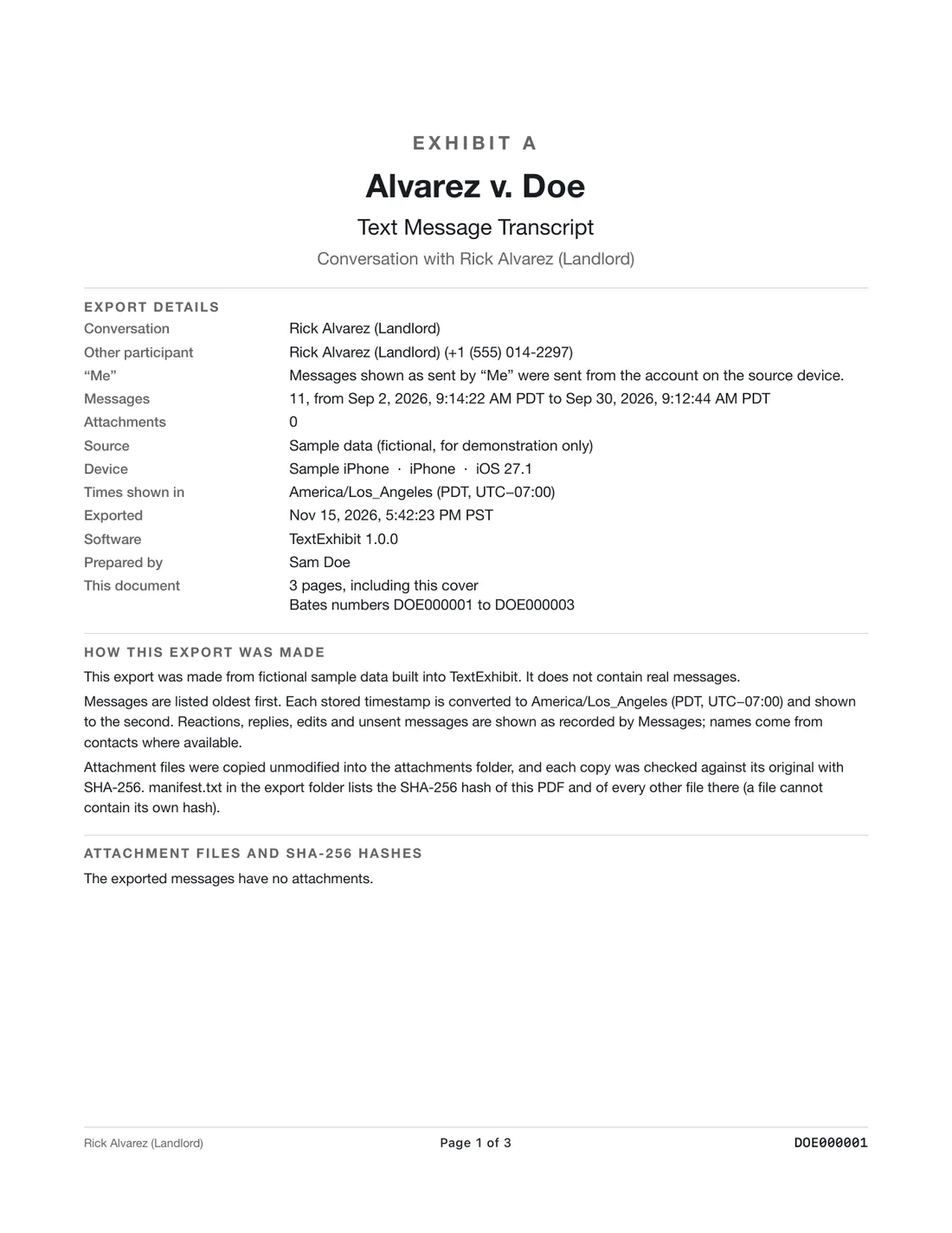
- Court details: imessage-exporter none built in. TextExhibit cover page, time to the second with time zone, sender numbers, page and Bates numbers, exhibit label, SHA-256 manifest.
imessage-exporter is better if
- You want everything archived, free.
- You use Linux or Windows.
- You want to script or automate exports.
- You value open source code you can inspect.
TextExhibit is better if
- You do not want to use Terminal.
- You need a PDF with page numbers, Bates numbers and an exhibit label.
- You need CSV for a spreadsheet.
- You want to see each page before exporting.
Getting a PDF from imessage-exporter
Its README notes a --no-lazy option so that images load when you print the HTML export to PDF from a browser. Page numbers and headers then depend on the browser's print settings.
What to keep in mind
- imessage-exporter details are from its GitHub repository on 2026-11-15.
- TextExhibit does not export all conversations in one go yet.
- Not legal advice.
Questions
Is imessage-exporter really free?
Yes, it is open source under GPL-3.0.
Does imessage-exporter make PDFs?
It exports TXT or HTML. You can print the HTML to PDF from a browser.
Can it read an encrypted iPhone backup?
Yes, it prompts for the backup password. TextExhibit also reads encrypted Finder backups.
Which is easier?
TextExhibit if you prefer a normal Mac window; imessage-exporter if you are at home in Terminal.
Sources
- imessage-exporter on GitHub (ReagentX) (checked November 15, 2026)
- imessage-exporter command-line README (checked November 15, 2026)
- imessage-exporter releases (checked November 15, 2026)
Export the whole conversation
TextExhibit turns a conversation into one PDF with exact times, names and numbers, photos in place and page numbers, on your Mac. Free to preview; $24.99 once to export.