How to document harassment by text message
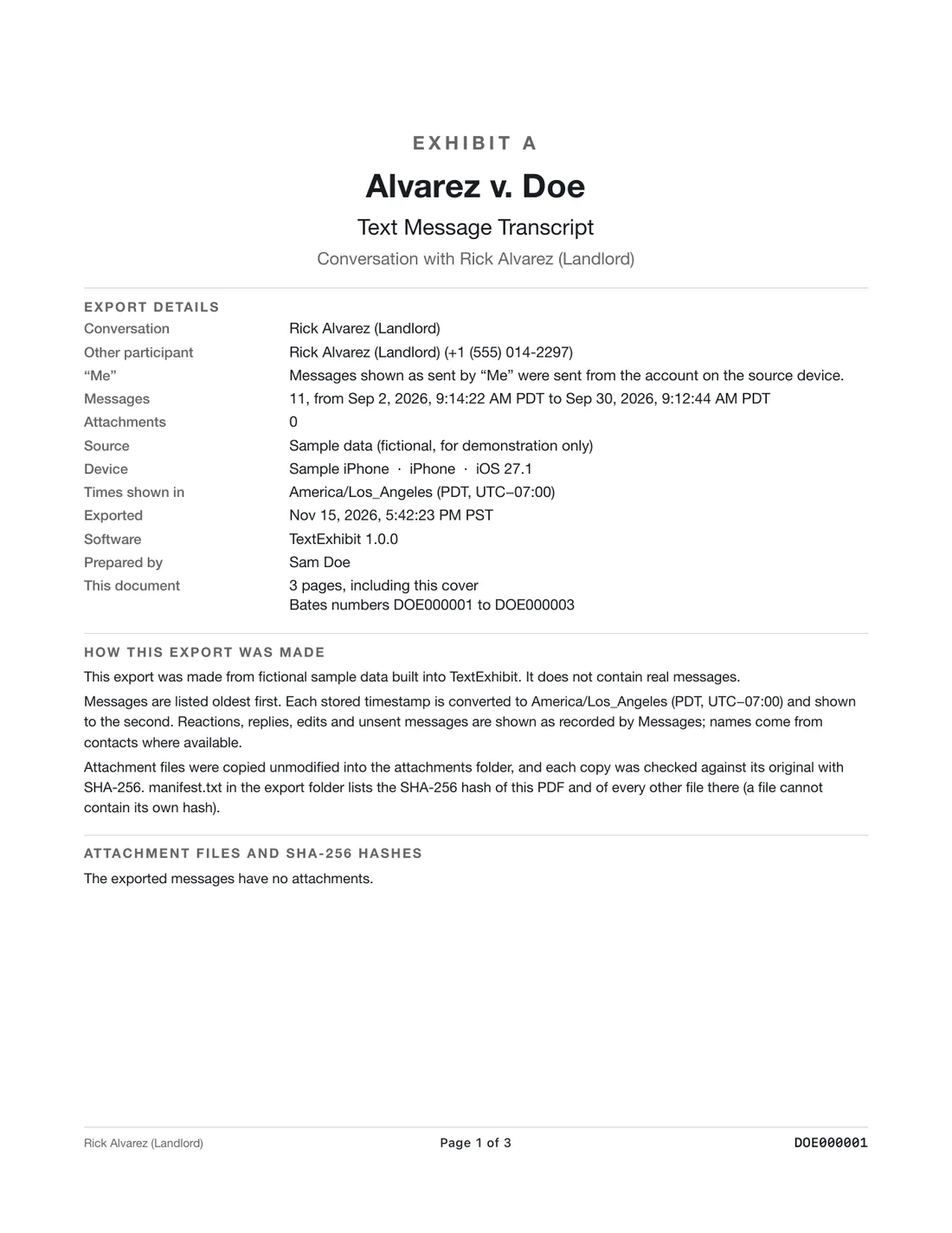
Do not delete anything: keep the full thread, take a screenshot now, and export the whole conversation to a PDF with the sender’s number and the date and time of every message, then keep a short timeline of what happened and when. Make one copy that stays untouched and work from a second copy, and show the export to the police, a lawyer or a court clerk when you decide what to do.
What to save
- Every message, including the ones that seem minor. Patterns are what matter.
- The sender’s phone number or email, not only a contact name.
- Date and time of each message, including how often they come.
- Photos, voice messages and links they send.
- Your own replies, including a clear “stop contacting me” if you sent one.
- Related records: missed calls, voicemails, emails and social media messages.
Do these three things first
- Turn off auto-delete: Settings, Messages, Keep Messages, Forever.
- Take screenshots of the thread now. They are quick and capture the moment.
- Make a backup of the iPhone to your Mac with Finder. See backing up with Finder.
Build a timeline
A short table helps others see the pattern: date, time, what the message said or showed, how you replied and how it affected you. Keep it to facts. Add the messages’ page number in the export so anyone can check. See harassment timeline.
Export with TextExhibit
- Open TextExhibit on your Mac and choose the source: the Messages app on the Mac, the iPhone over a cable, or a backup.
- Select the conversation. If the sender used several numbers, export each thread.
- Export to PDF. Every message has date and time to the second, the time zone and the sender’s number. Photos are inline.
- Keep the folder and the hash list together, and store a second copy safely.
Who to show
- Police, if the messages include threats or if the pattern worries you. See police reports.
- A lawyer or legal aid, if you want an order or a civil case.
- A court clerk, for how to file for a protective order. See protective order texts.
- Your school, workplace or landlord, if they have a process for it.
What to keep in mind
- General information, not legal advice. Whether texts count as harassment depends on the law where you live.
- Do not respond with threats or insults. That can hurt you.
- If you feel unsafe, call the police, or in the U.S. call the National Domestic Violence Hotline at 1-800-799-7233. See safely saving texts.
Questions
Should I reply to ask them to stop?
Ask a lawyer or the police if you can. If you do send one, keep it short and clear, and do not send more. Do not reply to later messages.
Is blocking them okay?
Blocking can protect you, but save the thread first. See blocking and saving.
Do I need to keep the phone?
Yes, keep it until the matter is over. It holds the original messages.
What if they delete messages?
Your thread still holds what they sent you. Export now.
Sources
- Stalking Prevention, Awareness, and Resource Center (checked November 15, 2026)
Export the whole conversation
TextExhibit turns a conversation into one PDF with exact times, names and numbers, photos in place and page numbers, on your Mac. Free to preview; $24.99 once to export.