How to save text messages that show infidelity for a divorce
Do not delete, forward or react to the messages yet: take a complete copy of the thread as it stands, with date, time and the other person’s number, and talk to a divorce lawyer before deciding what to do with it. If the messages are on your own phone, export the conversation to a PDF from a backup or the Mac. If they are on your spouse’s phone, do not log in to it or take it, because how you got them can matter as much as what they say.
Where the messages came from matters
- Messages you received yourself, such as a text from the other person to you or a group chat you are in, are yours to save.
- Messages on shared devices, such as a family iPad or a Mac signed in to both Apple IDs, may sit in a gray area. Ask a lawyer before using them.
- Messages obtained by guessing a passcode, installing monitoring software or logging in to your spouse’s accounts can raise legal problems in many places, and a court may refuse to look at them. Rules differ by state and country, so this is a question for a lawyer, not for guesswork.
What to look for if the messages are legitimately yours
- Dates and times, since timing often matters more than wording.
- Phone numbers or emails for the other person, not only a contact name that might be nicknamed.
- Whether the same thread has photos, locations or plans that fit with dates you can check against receipts or calendars.
- Spending that appears in texts, which is linked to documenting money in texts.
How to preserve them
- Do not reply, delete or confront anyone before you have a copy. A deleted message can be very hard to get back.
- Make a Finder backup of the iPhone or check that Messages in iCloud has synced to your Mac. See backing up with Finder.
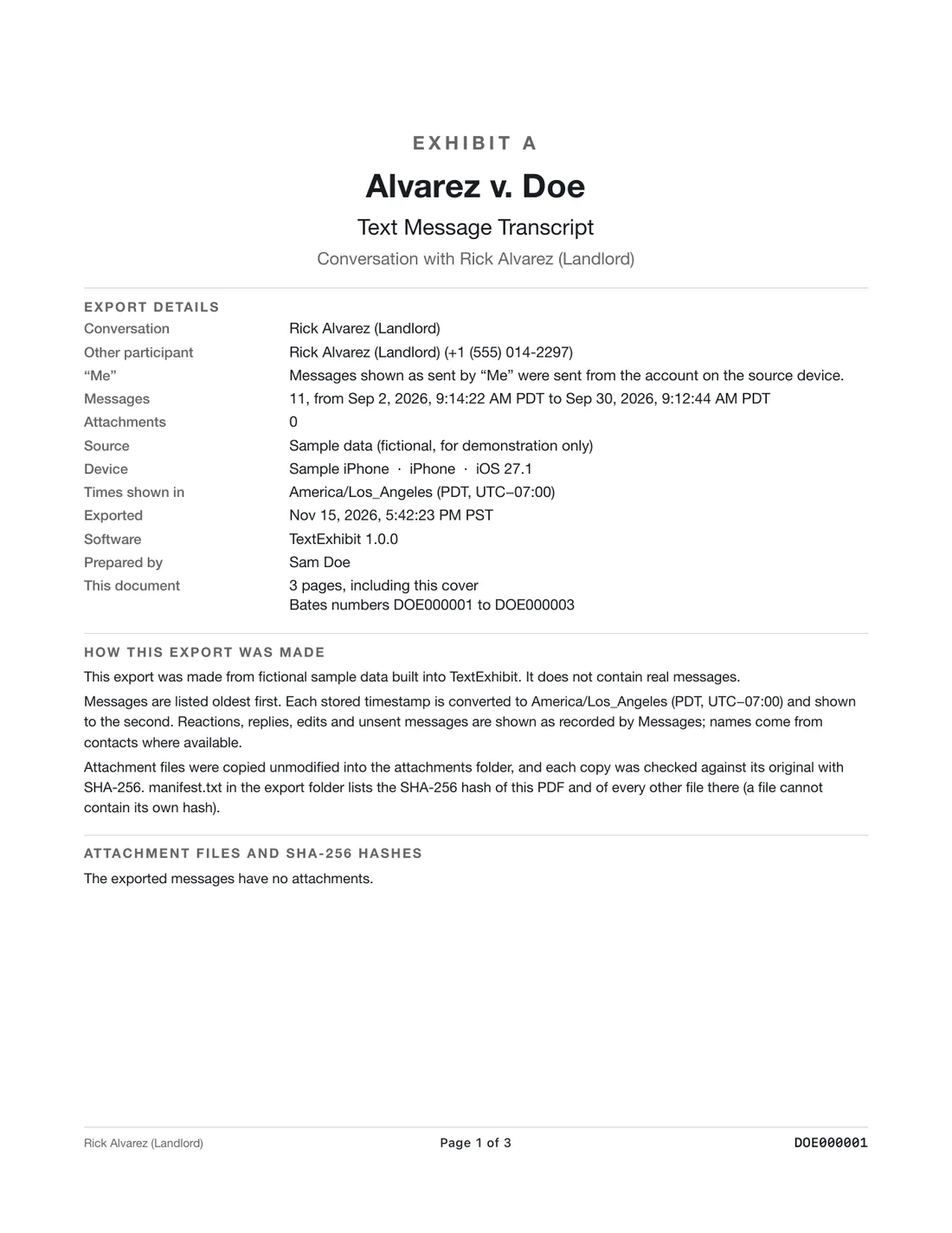
- Open TextExhibit, select that conversation and export the whole thread to PDF. The cover page records the source, the date range and how the file was made.
- Keep the folder, including the hash list, and do not edit it.
- Tell your lawyer what you have and how you got it, and let them decide what to use.
What the other side may say
They may argue that the texts are out of context, that they were jokes or about something innocent, that the number is not who you say, or that you got the messages improperly. A full thread, exact timestamps and an honest account of how you got them answer most of those. Showing who sent a message can need more than the export. See how to authenticate texts.
Does it even matter?
In some places fault is irrelevant to the division of property or support, and in others it can affect it. Whether an affair matters in your case is something only a lawyer in your state can tell you. Do not assume.
What to keep in mind
- General information, not legal advice. Evidence rules differ by place and so do rules about accessing someone else’s device.
- An export shows what is in the backup. It cannot recover messages that were deleted or tell who was holding the phone.
- If you feel unsafe because of your spouse’s reaction, see the safety pages on this site and call a hotline.
Questions
Can I take screenshots of my spouse’s phone while they are not looking?
Ask a lawyer first. Taking photos of a phone you were not given access to can be treated differently from texts you received, and rules vary.
Are infidelity texts always useful in a divorce?
Not necessarily. It depends on your state and what the dispute is about. Your lawyer will tell you.
What if the texts were deleted?
Check Recently Deleted in Messages and any backups. See recovering deleted texts. Do not try to get into your spouse’s phone.
Export the whole conversation
TextExhibit turns a conversation into one PDF with exact times, names and numbers, photos in place and page numbers, on your Mac. Free to preview; $24.99 once to export.