What text messages should I save for a divorce?
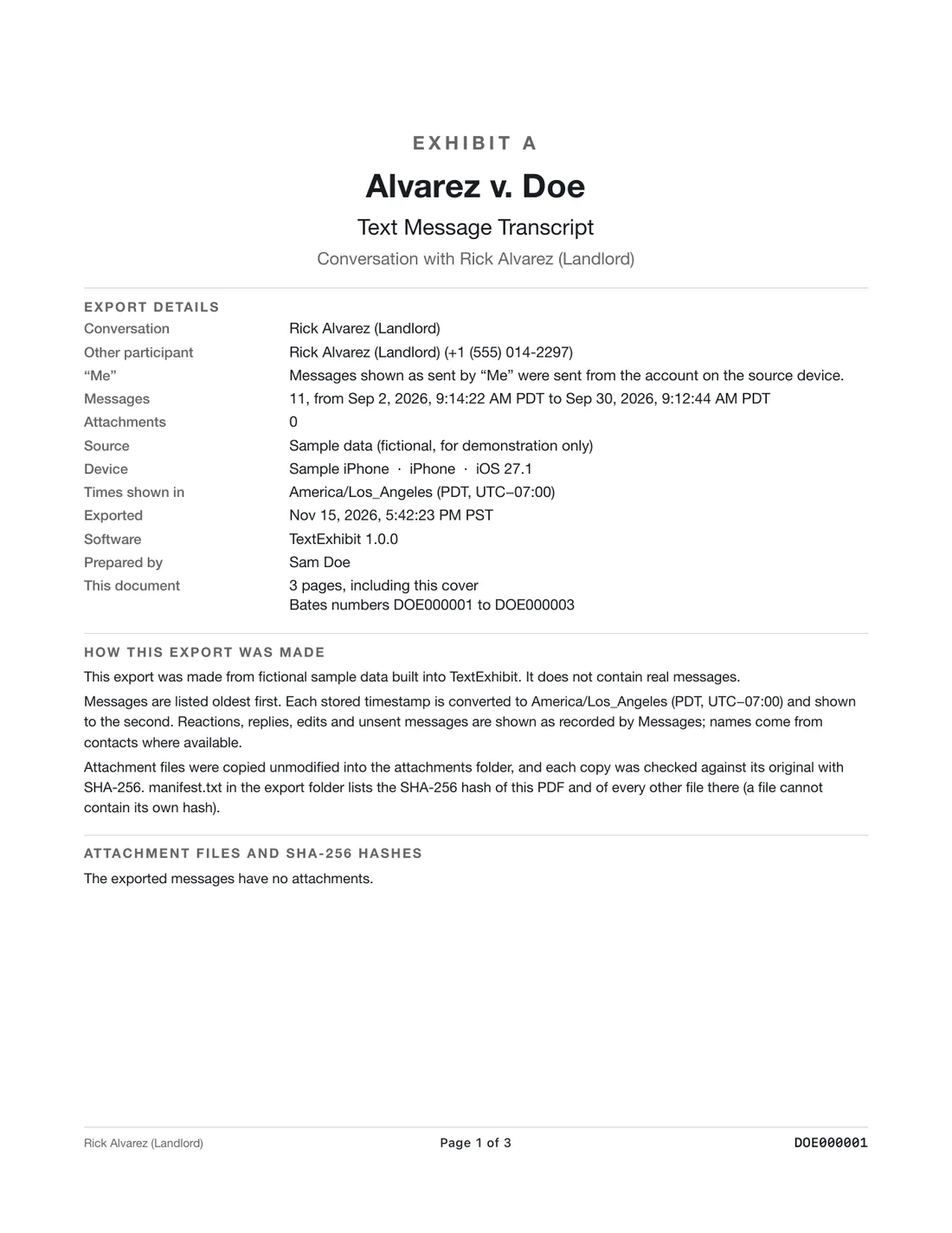
Save the whole conversation with your spouse, not only the messages that look useful, because texts about money, the children, the house, plans to separate and daily logistics can all matter and context protects you if the other side points to a gap. Copy the thread now: check it is still on the phone, make a Finder backup, and export each conversation to a PDF with dates, times and numbers, then tell your lawyer what you have rather than sorting it yourself.
The kinds of texts that tend to matter
- Money: purchases, transfers, loans to relatives, talk of savings or debts, who paid for what, promises about bills.
- Children: who does pickups, school and medical decisions, schedule changes, how each parent talks about the other to or around the kids.
- The marriage ending: when someone said it was over, who moved out and when, and any talk of a separation date.
- Property: the house, cars, jewelry, a business, anything one of you said was yours, a gift or an inheritance.
- Behavior: threats, insults, apologies, admissions, and anything that shows how each of you handled conflict.
- Practical proof: dates and places that confirm where someone was, or when something was bought or sold.
Texts people forget to save
- Group chats that include in-laws, friends or the children.
- Messages with a third person about the marriage, such as a sibling or friend. These are your messages, not your spouse’s, and may show timing.
- Photos, screenshots of receipts and voice memos sent inside a thread.
- Messages on an old phone, an old number or an iPad that shares your Apple ID.
- Anything in a different app. Messages on WhatsApp or Signal are outside what TextExhibit can read, so save those with each app’s own export tool.
Save first, sort later
Divorce lawyers usually want more than you would pick yourself, and the other side may later ask for complete threads. Cherry-picked screenshots invite the argument that you left out the messages that hurt you. Keep the originals on the phone untouched, make a backup, and export full conversations. Our page on organizing texts by topic covers sorting once the saving is done.
How to export with TextExhibit
- Make a fresh Finder backup of the iPhone, or turn on Messages in iCloud so the Mac has the thread. See backing up an iPhone with Finder.
- Open TextExhibit on the Mac and select the conversation with your spouse.
- Choose the whole conversation, or a date range if your lawyer gave you one.
- Export to PDF, CSV and HTML. Keep the PDF, the attachment folder and the hash list together.
- Repeat for each group chat or other person who matters, then give your lawyer the folder.
What to keep in mind
- This is general information, not legal advice. What counts, and what you must share, depends on your state and your case.
- Messages deleted before you made a backup are usually gone. See recovering deleted texts.
- Do not access your spouse’s phone or accounts to get messages. Rules about that vary and it can cause trouble for you.
Questions
Should I save texts even if they make me look bad?
Yes. Save everything and tell your lawyer. Surprises in court are worse than known problems, and deleting messages during a divorce can look like hiding evidence.
How far back should I go?
Ask your lawyer. Many people export from a year or more before the separation, because patterns over time are often more useful than a single week.
Do screenshots count as saving?
They are better than nothing, but they miss the full time, the number and any messages you did not capture. A full export is easier to defend. See are screenshots admissible.
Can I just give my lawyer my phone?
You usually should not. Export the relevant threads and hand over files, and keep the phone intact and backed up.
Export the whole conversation
TextExhibit turns a conversation into one PDF with exact times, names and numbers, photos in place and page numbers, on your Mac. Free to preview; $24.99 once to export.