How to use text messages in a Kentucky divorce or custody case
In Kentucky, dissolution of marriage and child custody are heard in Circuit Court, in the family court division where one exists, and text messages are usually offered as exhibits: complete copies of the conversation with the phone kept unchanged. Make a free copy first (screenshots or Print from Messages on a Mac), back up the iPhone, and ask your lawyer or the circuit clerk how exhibits are filed and exchanged in your county.
Which court
KRS 403.140 says the Circuit Court enters a decree of dissolution of marriage. KRS 23A.100 says a family court division of Circuit Court retains jurisdiction over dissolution of marriage, child custody, visitation, maintenance and support, and equitable distribution of property. Family court divisions also hear domestic violence proceedings under KRS chapter 403 after an emergency protective order.
Texts as exhibits
Exhibits usually reach the judge with a motion, an affidavit or at a hearing, not as a separate filing. Kentucky's evidence rules (KRE 901 on authentication, KRE 801 and 802 on hearsay) apply in contested hearings; see the Kentucky evidence page. We could not open the Court of Justice's e-filing pages, so ask the circuit clerk how you, as a person with or without a lawyer, should file exhibits.
Getting texts ready
- Keep the conversation on the phone, including your replies.
- Back up the iPhone on a Mac with Finder (General > Back Up Now).
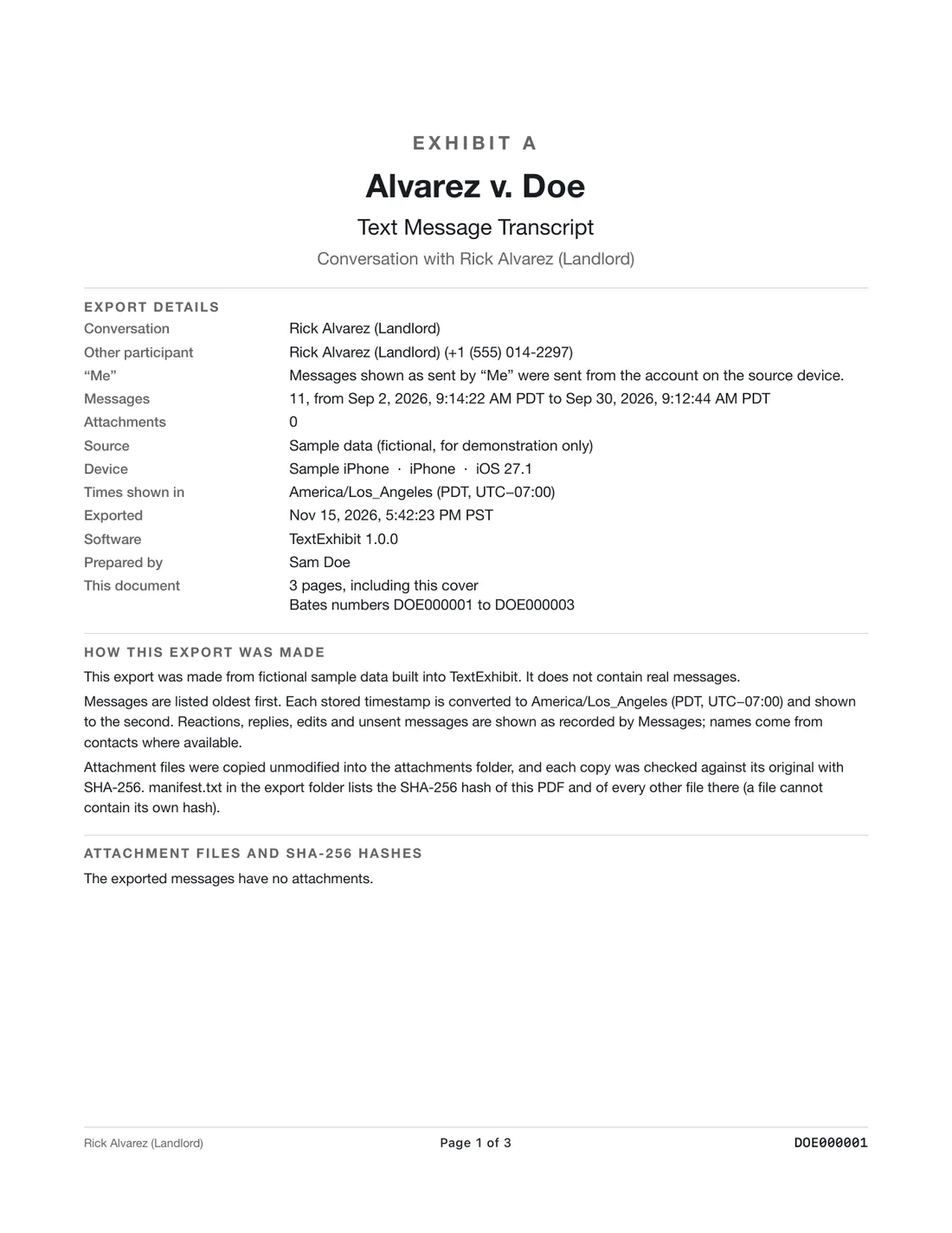
- Copy the thread or date range with dates, times and numbers. Free: screenshots (swipe left first) or File > Print in Messages on a Mac. TextExhibit exports one PDF with page numbers, an exhibit label and optional Bates numbers.
- Make a short index: issue, page, time.
- Keep the export as made; highlight only a copy.
A short summary helps
- Write a one-page list of the issues you want the judge to understand, such as missed exchanges or unpaid expenses.
- Under each issue, list the dates and page numbers of the messages that show it.
- Attach the complete export behind the summary so nothing looks cherry-picked.
- Give the same set to your lawyer, or follow the clerk's instructions for exchanging it with the other side.
If the other side asks for your texts
In a contested case, each side can usually ask the other for relevant documents, which can include text messages. Do not delete anything once a case is likely; deleting can hurt you more than the messages would. Talk to your lawyer about what you have to hand over and how. See what to do when your spouse asks for your texts and should you delete texts during a divorce.
What kinds of texts tend to matter
- Parenting time: requests, agreements, cancellations, late pickups.
- Money: support promises, spending, property.
- Safety: threats or harassment. See Kentucky protective orders.
What to keep in mind
- This is general information, not legal advice. Practice differs between Kentucky circuits and family court divisions.
- Use texts you sent or received; taking someone else's messages can create legal problems.
- TextExhibit cannot recover deleted messages or read WhatsApp, Signal or Messenger.
Questions
Which court handles divorce in Kentucky?
Circuit Court (KRS 403.140). Where there is a family court division, it handles dissolution and custody (KRS 23A.100).
Is it called divorce or dissolution?
Kentucky statutes say dissolution of marriage.
Should I give my lawyer screenshots or a PDF?
A complete PDF with dates, times and numbers is usually easier to work with. See what format lawyers want.
Sources
- KRS 403.140, Decree of dissolution, Kentucky General Assembly (checked November 15, 2026)
- KRS 23A.100, Jurisdiction of family court, Kentucky General Assembly (checked November 15, 2026)
- KRS Chapter 422A, Kentucky Rules of Evidence (renumbered as KRE), Kentucky General Assembly (checked November 15, 2026)
Export the whole conversation
TextExhibit turns a conversation into one PDF with exact times, names and numbers, photos in place and page numbers, on your Mac. Free to preview; $24.99 once to export.