How to compress a video for Slack
Slack accepts files up to 1 GB each and up to 10 files in one message, so most videos fit, but smaller copies upload faster, start playing sooner in the preview, and use less of a free workspace's storage. On a Mac, export a 1080p or 720p copy with QuickTime Player's File, Export As, or drop a batch of recordings into SendSize with a size you choose, such as 50 MB each.
Compress it for where it is going Discord, Gmail, Outlook or WhatsApp
Slack's limits
Slack also scans uploads before they appear, so a large video can take a while to show up for everyone.
- Each file: up to 1 GB, for members and guests.
- Each message: up to 10 files dragged into the message field.
- Free workspaces have a storage cap, and Slack's help center says files beyond it are archived, so big videos fill it quickly.
- Your admin can restrict files in Slack Connect channels and for some members.
Why make it smaller if it fits
A 4K screen recording of a bug or a 10-minute demo from an iPhone can be several hundred megabytes. On hotel Wi-Fi that upload takes minutes, and everyone who opens it downloads it too. A 1080p copy of a screen recording is usually a fraction of the size and still shows every line of text. A 720p copy of a phone video looks fine in Slack's player.
If you want to see what a screen recording looks like at a fifth of its size, the example on this page shows a 26-second 1080p screen recording at 60 frames per second at 5.2 MB and 0.99 MB.
Free way on a Mac
The Mac's screen recorder (Shift-Command-5) records at your display's full resolution, which on a Retina Mac is more than 1080p. Exporting at 1080p alone often halves the size. More in screen recording file too large.
- Open the recording in QuickTime Player.
- Trim the start and end with Edit, Trim.
- Choose File, Export As, 1080p for screen recordings with text, or 720p for camera video.
- Drag the exported file into the Slack message.
With SendSize
- Type a size per file, for example 50 MB, or pick Smallest for the least space that still looks fine.
- Drop in the recordings, or the folder they are saved to.
- Upload the copies. With a license, you can have SendSize watch your screen recordings folder so every new recording is already small.
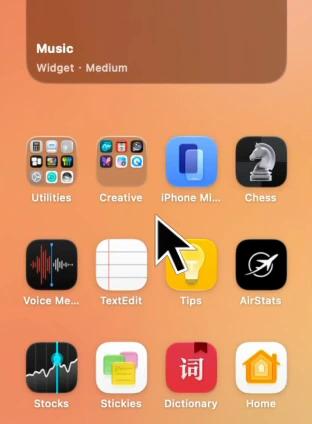
Before5.2 MB
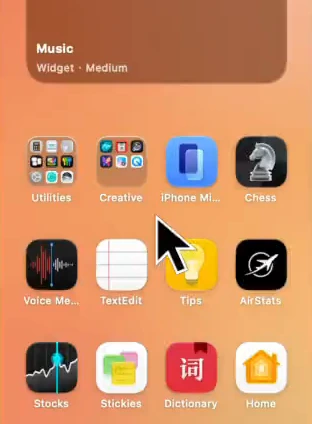
After0.99 MB
What to keep in mind
- Making a video smaller always removes some detail. For bug reports where every pixel matters, keep the original and share a link to it.
- Slack's player and limits are Slack's; the numbers come from its help center on the date in the sources and may change.
- Workspace admins can set their own rules for files.
Questions
What is the maximum file size on Slack?
1 GB per file, with up to 10 files per message, according to Slack's help center.
Does Slack compress videos?
Slack stores what you upload. Making a smaller copy yourself is how to save upload time and storage.
What format plays in Slack's preview?
MP4 with H.264 video plays in Slack on Mac, Windows, the web and phones. That is what SendSize writes.
How do I share a video bigger than 1 GB in Slack?
Make a smaller copy, or upload it to cloud storage and post the link.
Sources
- Slack Help Center: Add files to Slack (checked November 16, 2026)
Do it with SendSize
Compress it for where it is going
PresetDiscord, Gmail, Outlook or WhatsApp
- Pick where the video is going, or type a limit under Each file under.
- Drop in the video, several, or a folder.
- Send the MP4 from the new folder next to the original.
Measured on an M3131 MB → 18.6 MB −86%
Free for 5 files at a time. $19.99 once for any number, on 3 Macs.